
AI Automation in Rockland County: Use Cases and Benefits for Local Businesses
Learn how AI automation can help Rockland County businesses save time, reduce manual work, improve customer service, and connect everyday operations.
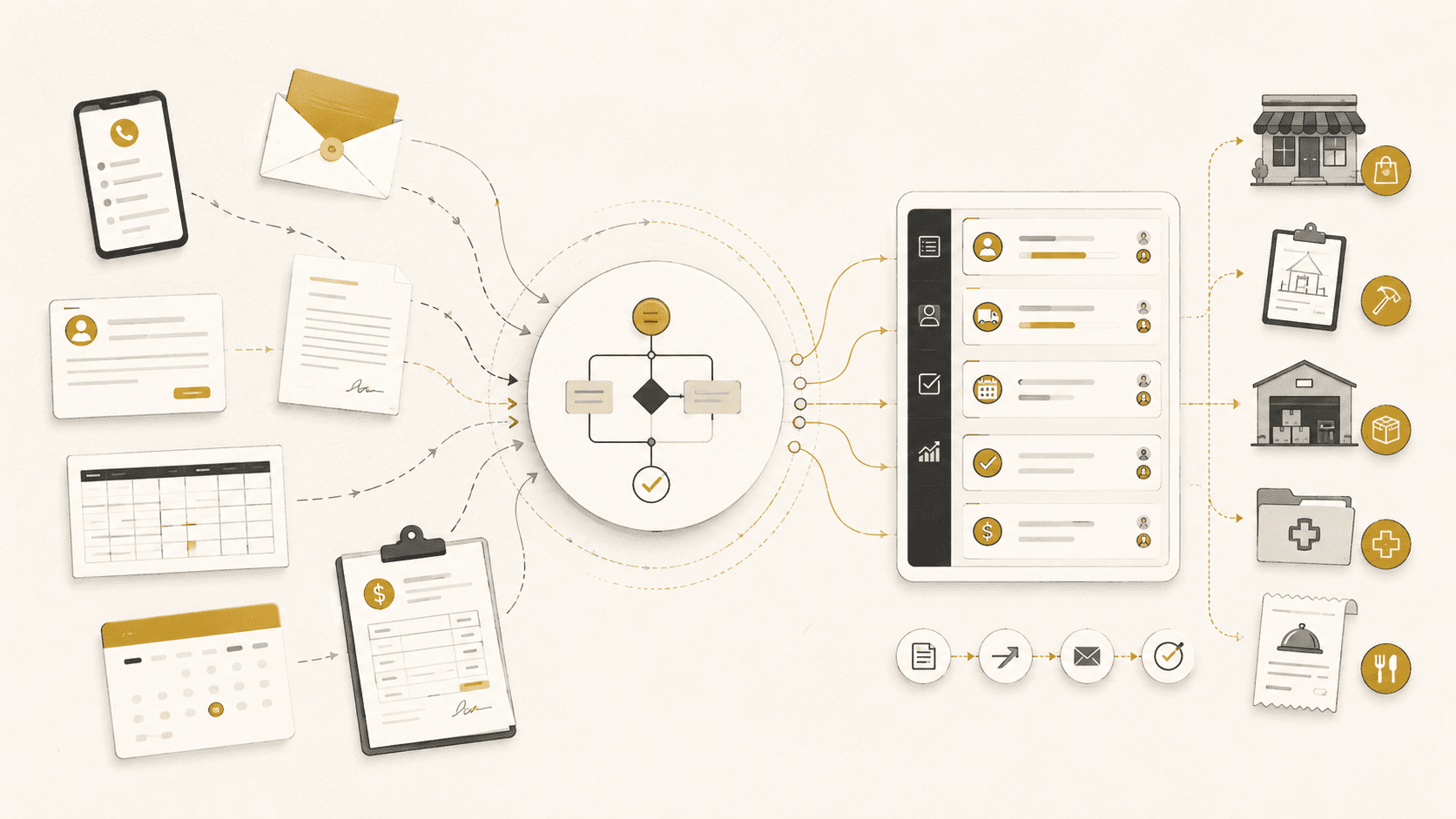
For many Rockland County businesses, the biggest opportunity with artificial intelligence is not generating more content or replacing an entire team. It is removing the repetitive work that slows employees down every day.
Customer requests may arrive through phone calls, emails, website forms, text messages, paper documents, and spreadsheets. Employees then have to organize that information, enter it into another system, notify the correct person, follow up with the customer, and keep track of what happens next.
AI automation can help connect those steps into one reliable process.
For a business searching for an AI automation company in Rockland County, the first question should not be, “Which AI tool should we buy?” It should be, “Which part of our operation is taking too much time or causing opportunities to be lost?”
What Is AI Automation?
AI automation combines artificial intelligence with traditional workflow automation.
Traditional automation follows clear instructions. For example:
-
- When a customer submits a form, create a record in the CRM.
-
- When an order is placed, notify the correct department.
-
- When an appointment is scheduled, send a confirmation.
-
- When inventory changes, update the connected storefront.
-
- When a project reaches a certain status, create a report or task.
AI becomes useful when the information is less predictable.
A customer may leave a long voicemail, write an unclear email, attach a document, ask a question in their own words, or describe a request differently from the way the business normally records it.
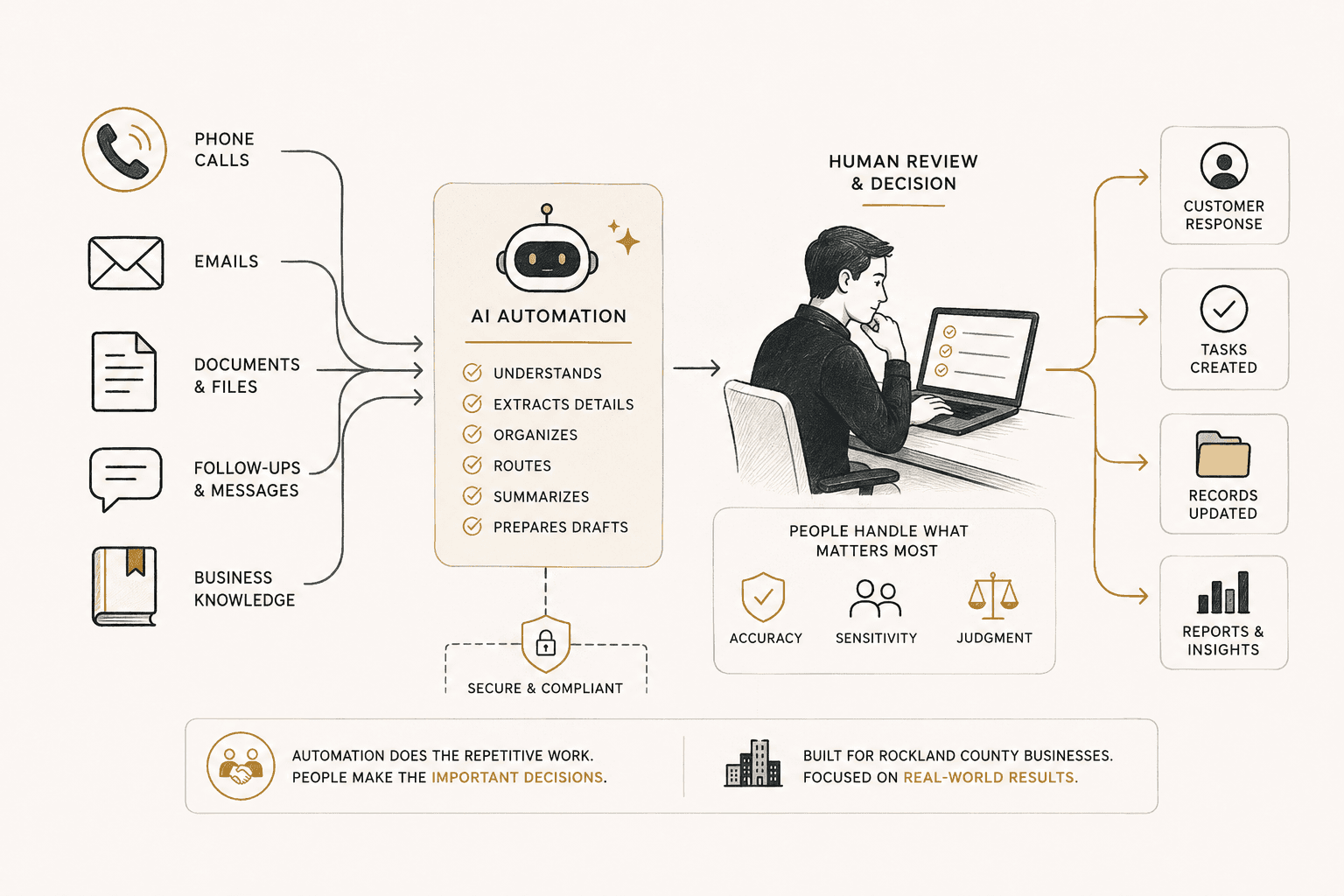
AI can help interpret that information before the rest of the automated workflow begins. It may summarize a call, classify an email, extract information from a document, identify the purpose of an inquiry, or prepare a response for an employee to review.
The strongest systems often use both approaches. Standard automation handles the predictable steps, while AI helps with language, documents, classification, summarization, and other information that does not arrive in a fixed format.
Why Rockland County Businesses Are Exploring AI Automation
Rockland County includes manufacturers, distributors, contractors, medical offices, restaurants, retailers, professional service firms, nonprofits, and other organizations with very different day-to-day operations.
Despite those differences, many local businesses face similar problems:
-
- Information is spread across several platforms.
-
- Employees enter the same information more than once.
-
- Customer inquiries are not always routed to the right person.
-
- Follow-ups depend on someone remembering to send them.
-
- Owners have limited visibility into the status of open work.
-
- Staff members spend time answering the same questions repeatedly.
-
- Important information remains buried inside calls, emails, or documents.
The U.S. Chamber of Commerce’s 2025 small-business technology research reported that 57% of New York small businesses were using an AI platform, while 77% believed AI would help their businesses in the future.
Using an AI platform, however, is not the same as having AI properly connected to business operations. A company may occasionally use a chatbot without having any automated system for customer intake, document processing, lead routing, reporting, or follow-up.
The larger opportunity is turning individual tools into a dependable workflow.
The Main Benefits of AI Automation
Faster Response Times
A customer inquiry should not sit unnoticed because it arrived after business hours, went to the wrong inbox, or was received while employees were busy.
An automated system can capture the request, identify what the customer needs, notify the correct person, and send an immediate confirmation.
AI does not always need to provide the final answer. In many cases, its job is simply to organize the request and make sure a person can respond with the right context.
Less Repetitive Work
Employees regularly copy information between forms, spreadsheets, CRMs, accounting platforms, ecommerce systems, scheduling tools, and internal software.
Automation can move that information between systems without requiring someone to retype it at every step.
The goal is not to remove employees. It is to give them more time for customer relationships, technical work, problem-solving, and decisions that require experience.
Fewer Missed Handoffs
A process often breaks when work has to move from one person or department to another.
A request may be received, but never assigned. A quote may be prepared, but never followed up on. A document may be uploaded, but no one may realize that it is incomplete.
A structured workflow can assign ownership, create deadlines, notify the correct employee, and record what happened.
More Consistent Customer Service
Customers should receive a similar level of service regardless of which employee answers the phone or opens the email.
AI-assisted systems can help staff locate approved information, follow a defined process, prepare consistent responses, and recognize when a request needs to be escalated.
Better Operational Visibility
Owners and managers often know that work is being completed, but cannot easily see where requests are delayed.
Connected systems can provide dashboards showing:
- New inquiries
- Open requests
- Assigned employees
- Current statuses
- Response times
- Missing information
- Unresolved issues
- Completed work
Instead of asking several employees for separate updates, the business can view the process in one place.
More Room to Grow
As a company grows, the amount of administrative work usually grows with it.
Automation can help a business handle more inquiries, appointments, orders, documents, or customer requests without increasing manual workload at the same rate.
Practical AI Automation Use Cases
The right use case depends on how the business already operates. A contractor will have different needs from a medical office, restaurant, manufacturer, or professional service company.
The following are some of the most practical ways Rockland County businesses can use AI and automation.
Customer Intake and Lead Routing
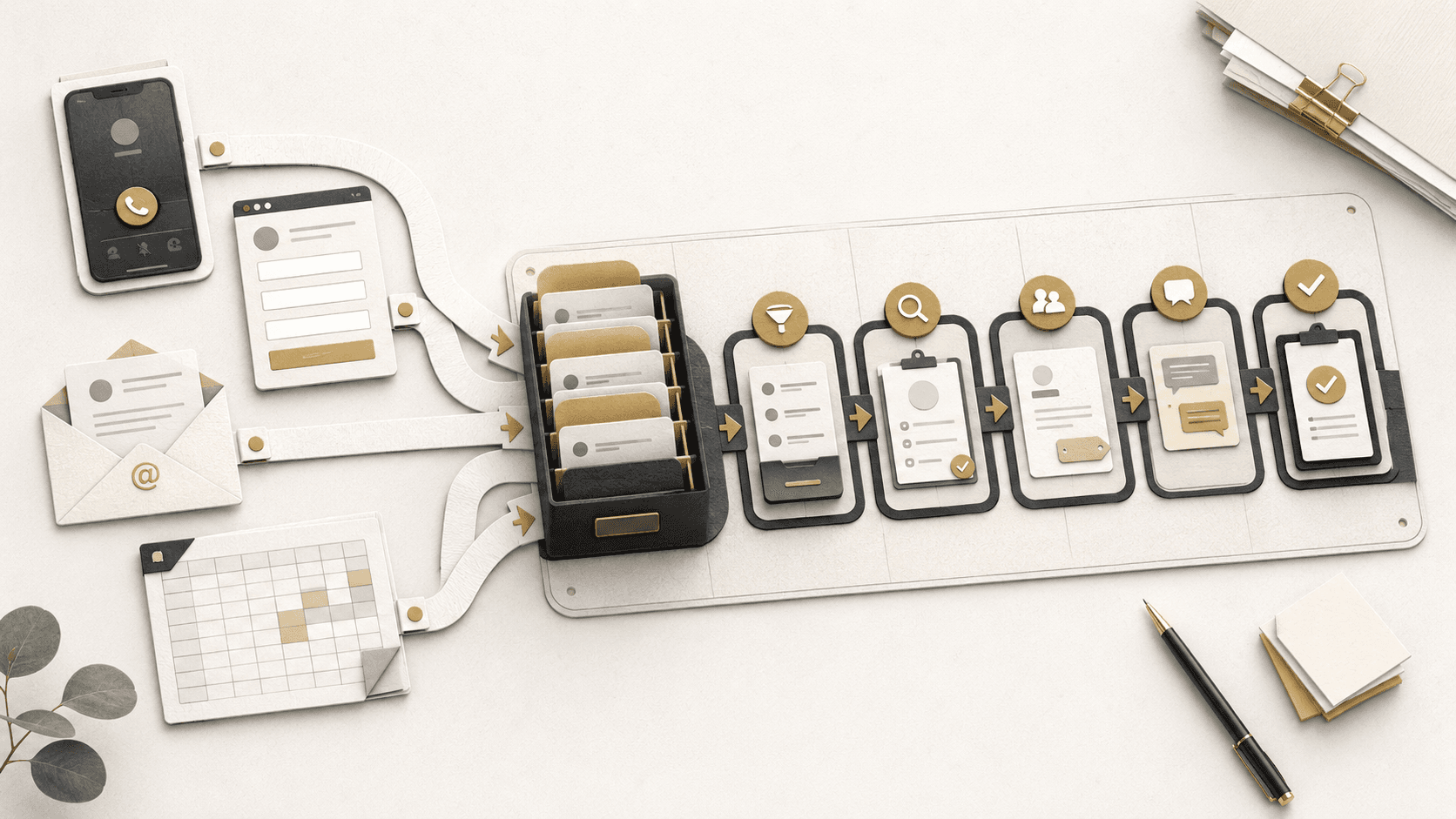
A request received through a website form, email, phone call, or text message can automatically become a structured customer record.
The system can identify what the person needs, collect missing information, assign the inquiry to the correct employee, and create the next task.
For a contractor, this could mean separating new estimate requests from existing customer-service calls.
For a medical or wellness organization, it could mean organizing consultation requests before the front desk reviews them.
For a manufacturer or distributor, it could mean routing quote requests according to the product, material, measurements, quantity, or urgency.
AI Voice Assistants
An AI voice assistant can help manage calls during busy periods or outside regular business hours.
Depending on the workflow, it can:
- Answer common questions
- Collect contact information
- Identify why someone is calling
- Record an order or service request
- Screen appointment inquiries
- Route urgent calls
- Prepare a summary for an employee
- Create a follow-up task
A voice assistant should clearly identify its purpose and provide a path to a person when necessary. It should support the team rather than trap callers inside an automated system.
Learn more about AI voice assistants and business AI integrations.
Email and Document Processing
Businesses receive important information through invoices, applications, order forms, resumes, estimates, PDFs, emails, insurance documents, and uploaded files.
AI can help:
- Extract important details
- Summarize the document
- Identify the type of request
- Flag missing information
- Rename and organize files
- Create a structured record
- Route the document to the right person
- Prepare the information for review
An employee can then verify the result instead of reading and manually organizing every document from the beginning.
Customer Support and Internal Knowledge Bases
Business knowledge is often spread across websites, employee notes, policy documents, training materials, manuals, tickets, and old emails.
An AI knowledge assistant can help employees or customers find relevant answers using ordinary questions.
The assistant should rely on approved business information, identify when it is uncertain, and send unusual or sensitive questions to a person.
AliNQuality has a live AI chatbot demonstration that shows how a business assistant can answer from an approved knowledge base and admit when it does not know something.
Scheduling and Follow-Ups
Automation can manage appointment confirmations, reminders, missing-information requests, quote follow-ups, status notifications, payment reminders, and post-service communication.
The system can also stop or change a follow-up sequence when the customer replies, schedules, pays, declines, or reaches another defined status.
This is particularly valuable for businesses that generate inquiries but lose opportunities because employees do not have time to follow up with every person manually.
Manufacturing and Distribution Workflows
Manufacturers and distributors commonly manage orders through a combination of phone calls, emails, spreadsheets, paper forms, ecommerce systems, shipping platforms, and accounting software.
AI and automation can help connect customer requests, product information, inventory, quoting, ordering, fulfillment, and customer notifications.
Examples include:
- Extracting product details from a quote request
- Identifying missing measurements or specifications
- Routing requests to the correct salesperson
- Cleaning inconsistent product information
- Synchronizing inventory between platforms
- Generating internal order documents
- Sending automatic status updates
- Alerting staff when an order requires attention
- Summarizing production or fulfillment activity
The business does not necessarily have to replace every existing system. In many cases, the better approach is connecting the tools employees already rely on.
Ecommerce Operations
AI and automation can support product management, inventory updates, marketplace listings, customer questions, shipping notifications, returns, claims, and order processing.
Not every effective system needs AI.
For Plastic-Craft Products’ returns logistics process, AliNQuality built a guided workflow application that helped staff collect the correct evidence and follow a consistent process. The company’s Amazon claim success rate increased from 26% to 95%, recovering thousands in previously lost funds.
The value came from understanding the operational problem first and building the right process around it.
Content and Communication Workflows
AI can also support organizations that regularly create educational, informational, or promotional material.
AliNQuality developed an AI-assisted content workflow for Alpine Medical Training that helps move content from a script through video production, formatting, and distribution across multiple platforms.
Human review remains part of the process where medical accuracy matters. This allows AI to accelerate repetitive production work without giving it complete control over sensitive information.
The project is included in our collection of automation and custom system case studies.
What Tools Does AliNQuality Use?
AliNQuality works with several workflow automation platforms, including:
- n8n for advanced and customizable workflows
- Make.com for visual, multi-step integrations
- Zapier for straightforward connections between common platforms
- Microsoft Power Automate for organizations that rely on Microsoft tools
We also build custom applications, dashboards, database connections, APIs, webhooks, internal portals, and system integrations when an off-the-shelf platform is not enough.
For the AI portion, the model and provider are selected according to the actual task. A document-processing system may need a different setup from a voice assistant, internal knowledge base, or customer-intake workflow.
The objective is not to force every business into the same software. It is to build a dependable system that fits the company’s workflow, security requirements, expected volume, maintenance needs, and budget.
Explore our full workflow automation and system integration services.
When Should a Business Use AI?
Not every business automation needs artificial intelligence.
Standard automation is usually the better option when:
- The steps follow clear rules
- The information is already structured
- The workflow uses predictable conditions
- Accuracy must be fully consistent
- A form, database, API connection, or scheduled process can handle the task
AI becomes more useful when:
- Customers describe requests in different ways
- Information arrives through conversations or documents
- Calls or emails need to be summarized
- Messages need to be classified
- Important details must be extracted from unstructured information
- Employees need help searching a large collection of business knowledge
- A response needs to be prepared for human review
Knowing when not to use AI is just as important as knowing how to use it.
We discuss this distinction in more detail in AI for Rockland and Westchester Businesses: Where It Actually Helps and Where It Is Just Hype.
Keeping People in Control
An automated system should not be allowed to make every decision on its own.
Human review is especially important when a workflow involves financial information, medical details, legal matters, private customer data, public communication, or decisions that can meaningfully affect another person.
Depending on the system, responsible controls may include:
- Using only approved business information
- Limiting which systems and records the AI can access
- Requiring employee approval before an action is completed
- Keeping records of automated activity
- Testing unusual requests and failure scenarios
- Creating a fallback when the system cannot answer
- Giving customers a way to reach a person
- Regularly reviewing and improving the workflow
The National Institute of Standards and Technology AI Risk Management Framework provides voluntary guidance for incorporating trustworthiness and risk management into the design, development, use, and evaluation of AI systems.
What to Look for in an AI Automation Company
Businesses should be cautious of anyone promising that AI will immediately replace an entire department or solve every operational problem.
A responsible automation company should first understand:
- Who performs each step
- Where information originates
- Which software is currently used
- Where delays and mistakes occur
- Which decisions require human judgment
- What information is sensitive
- What happens when the automation fails
- Who will maintain the system after launch
The final solution may include AI, traditional automation, custom software, or a combination of all three.
The technology should follow the workflow. The workflow should not be forced to follow a trendy tool.
How AliNQuality Approaches AI Automation
AliNQuality begins by reviewing the current process and identifying where time, information, or opportunities are being lost.
Our general process includes:
- Reviewing how the workflow currently operates
- Identifying repetitive tasks, delays, and bottlenecks
- Deciding which steps should remain human
- Determining whether AI or standard automation is appropriate
- Connecting the necessary platforms and information
- Testing unusual situations and potential errors
- Documenting the system for the people using it
- Monitoring and improving the workflow after launch
Whenever practical, we meet with Rockland County businesses directly so we can see how the operation works instead of making assumptions from a short call.
This is particularly important for manufacturers, distributors, restaurants, contractors, medical organizations, service companies, and other businesses whose operations do not fit a generic template.
How to Identify Your First Automation
A business does not need a complete AI strategy to begin.
Start by identifying one repeated task that creates a noticeable amount of work.
Ask:
- What information do we enter manually every day?
- Which questions do we answer repeatedly?
- Where do customer requests get forgotten?
- What information do customers regularly leave out?
- Which reports take too long to prepare?
- Where are employees copying information between systems?
- Which process depends too heavily on one person?
- What continues to cause preventable mistakes?
One clearly defined problem is enough to begin evaluating an automation.
Businesses can also explore AliNQuality’s live system demonstrations, review the free AI Resource Center, or learn more about our AI integration services.
Building Practical AI Automation in Rockland County
AI automation does not have to mean replacing employees, rebuilding every system, or handing important decisions entirely to software.
For many Rockland County businesses, the best starting point is much simpler: remove one repetitive task, connect two disconnected systems, respond to customers faster, or give employees better access to information they already have.
When the workflow is understood first, AI becomes a practical business tool instead of another piece of software to manage.
AliNQuality helps businesses throughout Rockland County evaluate their operations and build automation around the way they actually work.
Start a conversation to discuss a process that may be ready for automation.
Frequently Asked Questions
What is AI automation?
AI automation combines artificial intelligence with connected business workflows. It can help interpret calls, emails, documents, and customer questions before triggering actions such as creating records, routing requests, preparing responses, or alerting employees.
Can AI connect with the software my business already uses?
In many cases, yes. Existing systems may connect through APIs, webhooks, native integrations, databases, or custom applications. The available options depend on the platforms and access provided by each system.
Will AI automation replace employees?
The systems AliNQuality builds are generally designed to reduce repetitive work and support employees. Human review remains important for customer-sensitive, financial, medical, legal, and judgment-based decisions.
Which Rockland County businesses can benefit from automation?
Manufacturers, distributors, restaurants, contractors, medical offices, retailers, professional service companies, nonprofits, and other organizations with repeated administrative processes may benefit.
Does every business automation need AI?
No. Many problems are solved more reliably with standard software and rule-based automation. AI should be added when it provides a clear advantage, such as interpreting calls, documents, emails, questions, or other unstructured information.
How do I identify what should be automated?
Look for tasks that happen repeatedly, require manual data entry, cause delays, generate frequent errors, or require employees to copy information between systems.
Sources
- U.S. Chamber of Commerce, Empowering Small Business: The Impact of Technology on U.S. Small Business
- National Institute of Standards and Technology, AI Risk Management Framework
- AliNQuality, Workflow Automation and System Integration
- AliNQuality, AI Integrations and Voice Assistants
- AliNQuality, Plastic-Craft Products Returns Logistics App
- AliNQuality, AI for Rockland and Westchester Businesses
Keep Reading
Related articles
Not Sure Which Service You Need?
Most projects don't fit a neat box. Talk it through with someone who's built real systems.
Already know what you need? Tell us what you're trying to build or fix. Talk Through Your Project