
Savepoint 0.1 Alpha
Pick up exactly where you left off.
Savepoint is a lightweight Windows utility from AliNQuality that helps you leave yourself the context you need for the next workday. At the end of your shift, save the loose ends. When you return, Savepoint brings them back.
Tool by AliNQuality
What it looks like
Home Settings and reminder controls
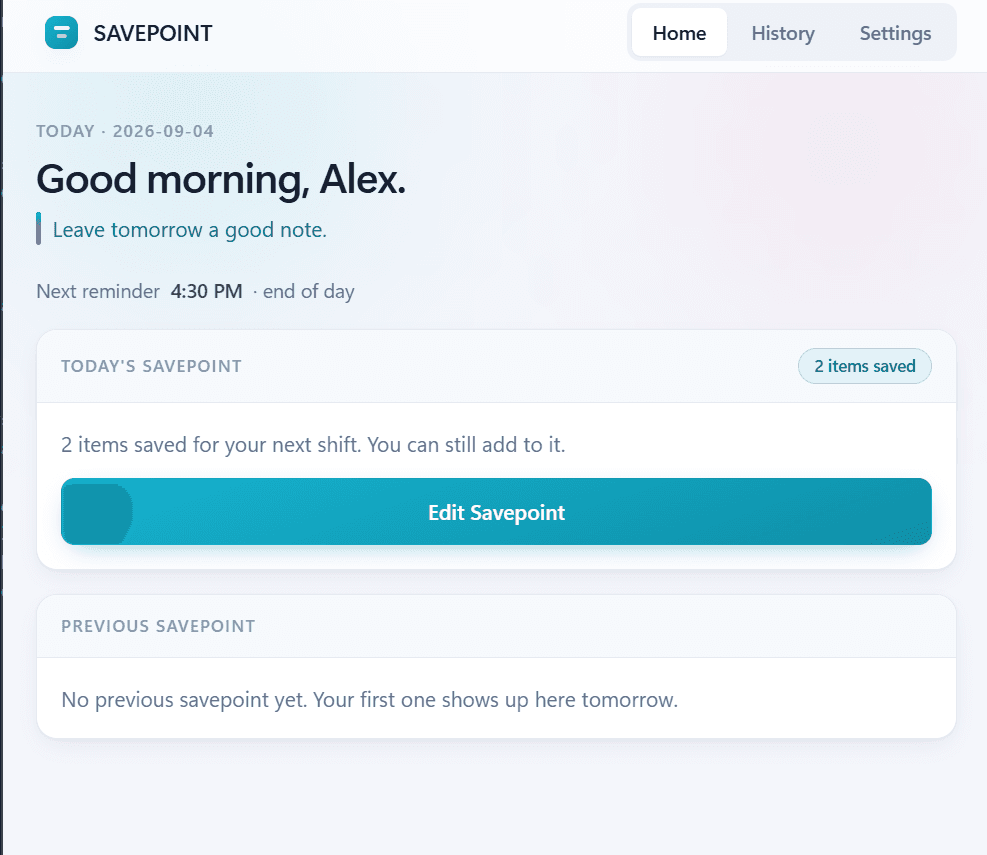
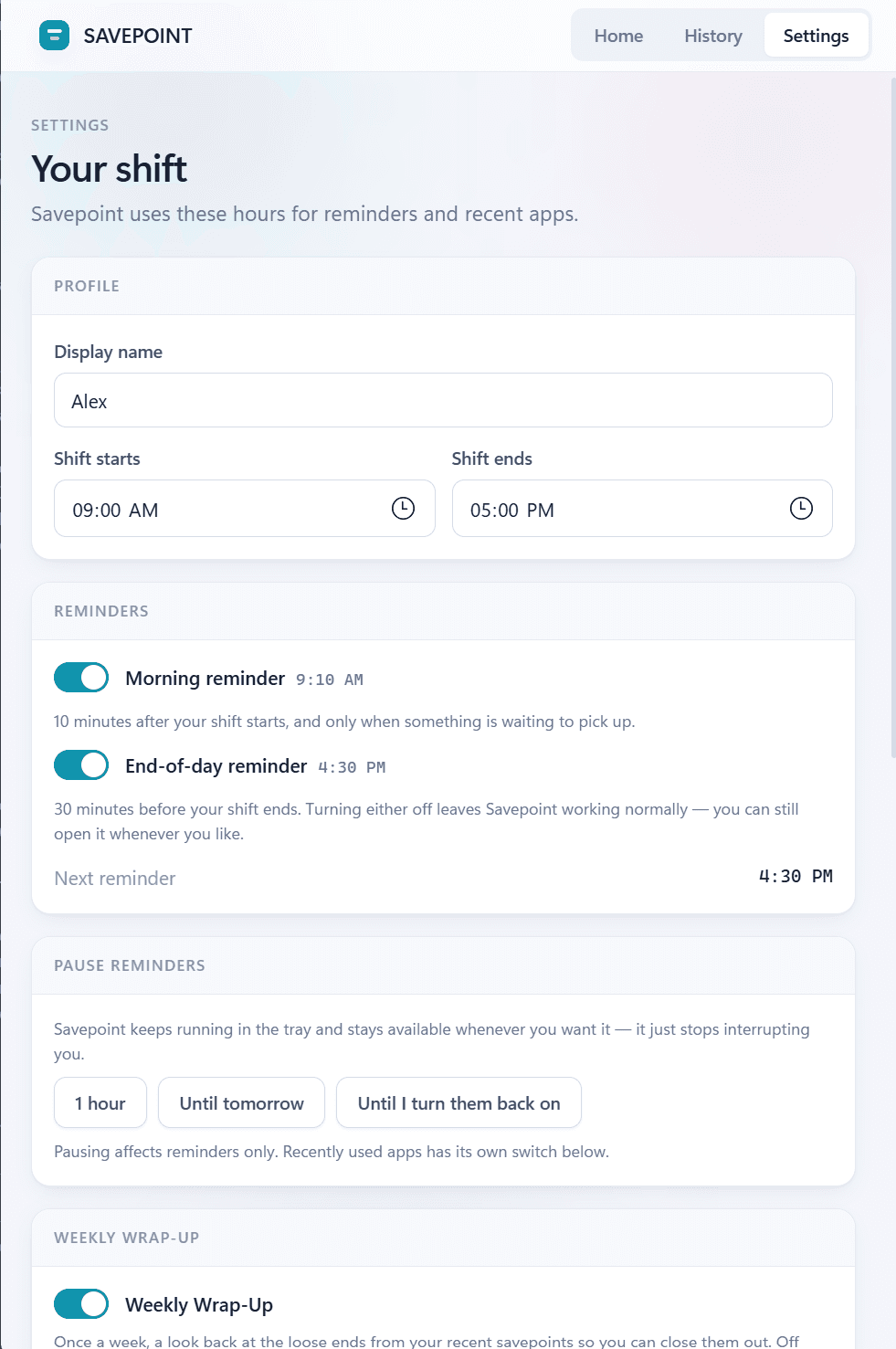
Resume view screenshot coming soon.
How it works
End your shift cleanly
Thirty minutes before you are done, Savepoint appears and asks what to save. Jot the loose ends as Continue, Follow Up, Waiting On, Meeting, or Note items. Click, type a sentence, press Enter.
Come back where you left off
Ten minutes into your next shift, what you saved is back on screen. Mark items done or carry them forward, then get to work without the twenty-minute reconstruction.
Then it gets out of the way
Savepoint lives in the tray and speaks twice a day. Snooze a reminder, dismiss it for today, pause them all, or switch either one off. Your machine, your rules.
A memory aid, not a monitor
Savepoint was built with a hard boundary: it must never become surveillance software. It does not record:
- keystrokes
- screenshots
- clipboard contents
- window titles
- browser URLs or history
- document contents
- email content
- productivity scores
- employee rankings
- remote usage telemetry
Everything Savepoint saves lives in a local database on your own Windows computer. No account, no cloud, no server.
One optional feature, Recently Used Apps, remembers which applications you used during your configured work hours: their program and display names, where the program sits on your computer so Savepoint can work out those names, and when each was first and last seen. That is the whole list, and it is what makes writing a savepoint faster. Turn it off and it stops observing and deletes what it saw.
You stay in control
Installing Savepoint does not mean agreeing to be interrupted by it. Every control belongs to the person at the keyboard: there are no administrator-enforced settings.
- Snooze any reminder for 10 or 30 minutes, or push the end-of-day one to shift end
- Dismiss a reminder for the day
- Pause all reminders for an hour, until tomorrow, or until you turn them back on
- Switch the morning and end-of-day reminders off independently
- The Weekly Wrap-Up is opt-in and off by default
- Recently Used Apps has its own off switch
- Start with Windows can be turned off, and Quit in the tray genuinely exits
Try the Alpha
Savepoint 0.1 Alpha is an early release for testing and feedback. Try it through a week of real work and tell AliNQuality what makes the experience better.
Download for WindowsDocumentation